
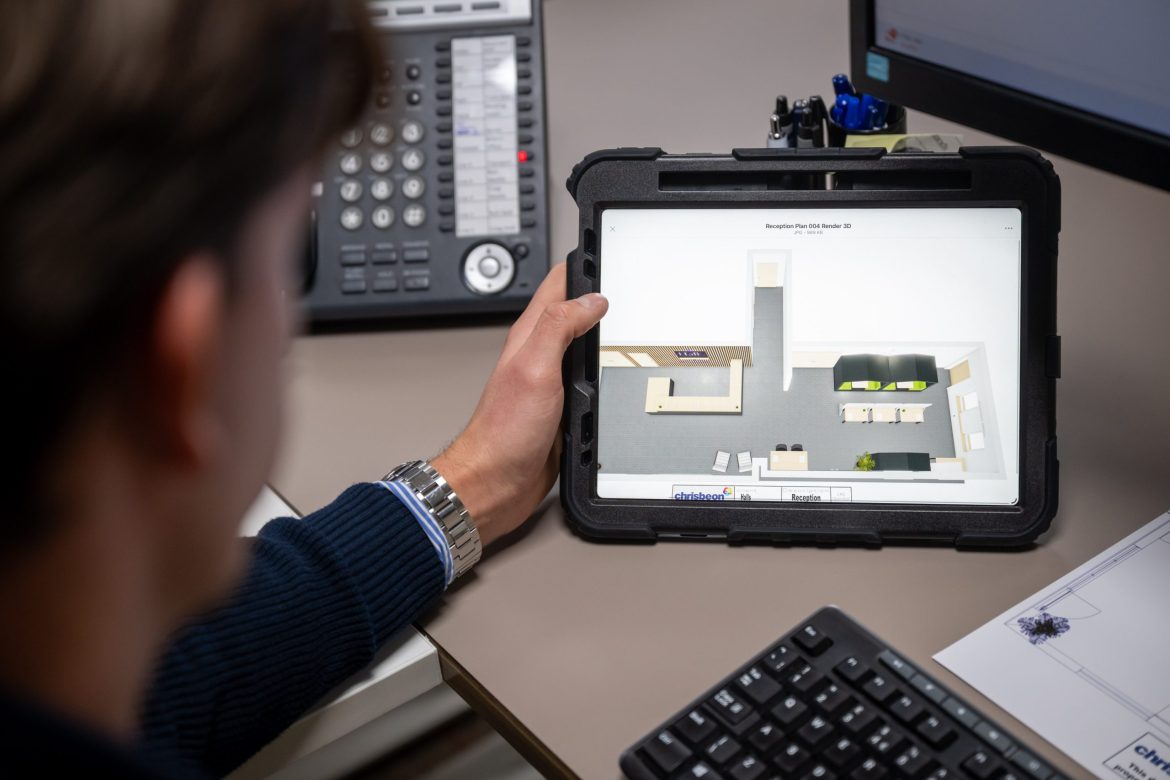
When planning an office refurbishment, relocation or new workspace, one of the biggest risks is ordering furniture before fully understanding how it will fit and function in the space.
Computer-Aided Design (CAD) office planning removes much of that uncertainty.
Rather than relying on guesswork or rough sketches, CAD allows a scaled layout of the workspace to be created before any furniture is ordered. This helps businesses visualise exactly how their office will look and operate once installed.
Whether you are reconfiguring an existing office or planning a completely new space, using CAD at the right stage can prevent disruption, delays and costly mistakes.
What does CAD office planning actually do?
CAD planning creates accurate 2D and 3D layouts of an office using real measurements. Desks, seating, storage and meeting areas are placed within the digital space to reflect how the finished office will function.

This allows you to:
- See furniture positioned to scale
- Check walkway clearances and access routes
- Test different layouts before committing
- Visualise how departments will sit together
- Identify potential clashes before installation
Instead of imagining how the space might work, you can review it properly with CAD drawings before placing orders.
When should CAD planning be used?
Not every small furniture purchase requires full layout planning. However, CAD becomes particularly valuable in situations such as:
- Office refurbishments
- New build projects
- Office relocations
- Expanding departments
- Reconfiguring open-plan spaces
In larger projects, small miscalculations can have a significant impact. Planning digitally first allows changes to be made on-screen rather than on-site.
How CAD planning avoids costly mistakes
One of the most common causes of disruption during office projects is furniture not fitting as expected.
Without scaled planning, businesses can encounter:
- Meeting rooms that feel cramped
- Spaces not looking the way they were envisaged
- Insufficient clearance for doors or drawers (or something as simple as a coat rack when it is full of employee coats!)
- Power and data points positioned incorrectly
By modelling the space accurately, these issues can often be identified early – before furniture is delivered and installed.
As mentioned in our recent blog on planning an office refurbishment without disrupting day-to-day work, careful preparation is key. CAD planning supports that preparation by reducing guesswork and improving confidence in decisions.
Supporting other trades during new builds
CAD planning is particularly useful when businesses are involved early in a new build or major renovation.
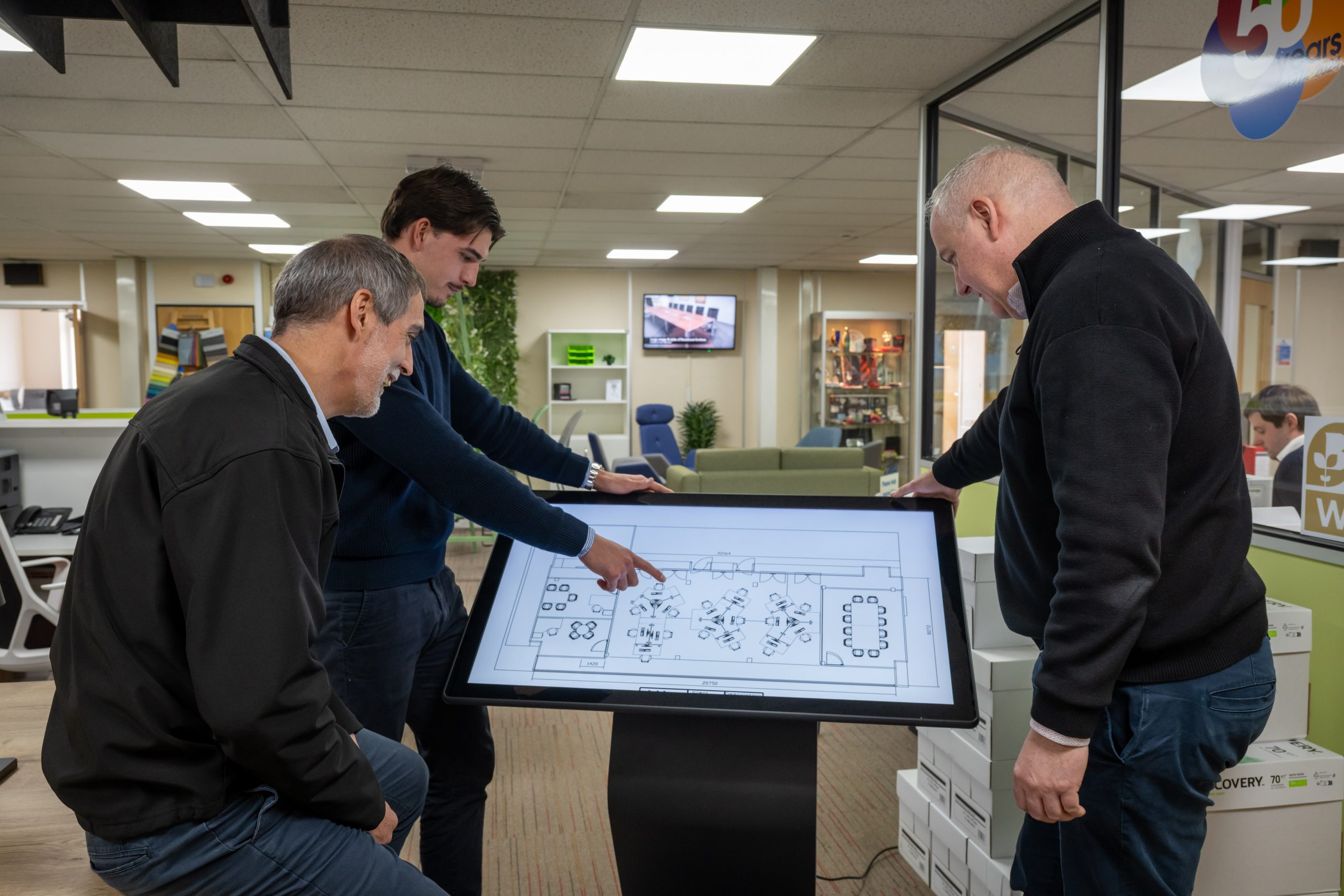
Because furniture positions can be confirmed in advance, other trades can work more efficiently. For example:
- Electrical sockets can be positioned correctly
- Data points can be aligned with desk locations
- Lighting layouts can be reviewed
- Partitioning can be adjusted before completion
This reduces the need for changes after occupation, which can be disruptive and costly.
Why accurate measurements matter
Effective CAD planning relies on accurate room measurements. In many cases, spaces can be measured manually, but digital tools such as LiDAR scanning technology can create precise 3D maps of the environment.
We use LiDAR scanning technology for instant measuring, improved augmented reality planning and more accurate design decisions.
These tools improve layout accuracy and reduce the risk of errors caused by incorrect dimensions.
CAD planning builds confidence before you buy
Office furniture is a long-term investment. Being able to see how the finished space will look – even virtually – provides reassurance before committing to a purchase.
Rather than relying on assumptions, businesses can review layouts, adjust configurations and confirm quantities before installation begins.
For projects involving multiple departments or larger teams, this level of clarity can be particularly valuable.
If you are planning an office refurbishment, relocation or expansion, it is often worth considering whether CAD planning would add value at the early stages.
To discuss office planning options, contact our team on 01952 292606 or visit our showroom at Stafford Park 4, Telford.
CAD Office Planning FAQs
What is CAD office planning?
CAD office planning uses computer software to create scaled 2D and 3D layouts of a workspace. It allows furniture and departments to be positioned accurately before orders are placed.
Do I need CAD planning for a small office?
For small updates or single furniture purchases, full CAD planning may not be necessary. However, for larger reconfigurations or refurbishments, it can help prevent layout issues and improve confidence in decisions.
Can office CAD design prevent installation problems?
Yes. By reviewing scaled layouts in advance, businesses can identify potential space conflicts, clearance issues or positioning errors before furniture arrives on site.
Is 3D CAD office design useful for new build projects?
It can be particularly valuable in new builds, as furniture layouts can inform electrical, data and partitioning decisions before construction is completed.
Can you provide CAD office planning in Telford and across the UK?
Yes. We provide CAD office planning services from our base in Telford, supporting businesses locally and across the UK as part of wider office projects.
Can Chrisbeon use existing architect or PDF plans?
Yes. We can import existing architect drawings or PDF plans into our CAD office planning system, allowing us to create accurate 2D and 3D office layouts more quickly.